
Google Forms themes
Your Google Form, with a new look.
Pick one of 7 looks for your form's link and any color you like. FormsFlow adjusts the tones so everything stays readable, and responses keep landing in the same Google Form.
- Free on every plan
- Uses no credits
- Change it without changing the link
7 masks, 1 link
In 22 seconds: the same form in every look and in four colors.
The 7 looks
Each theme changes the typography, background, cards and button shapes — not just the header color.
-
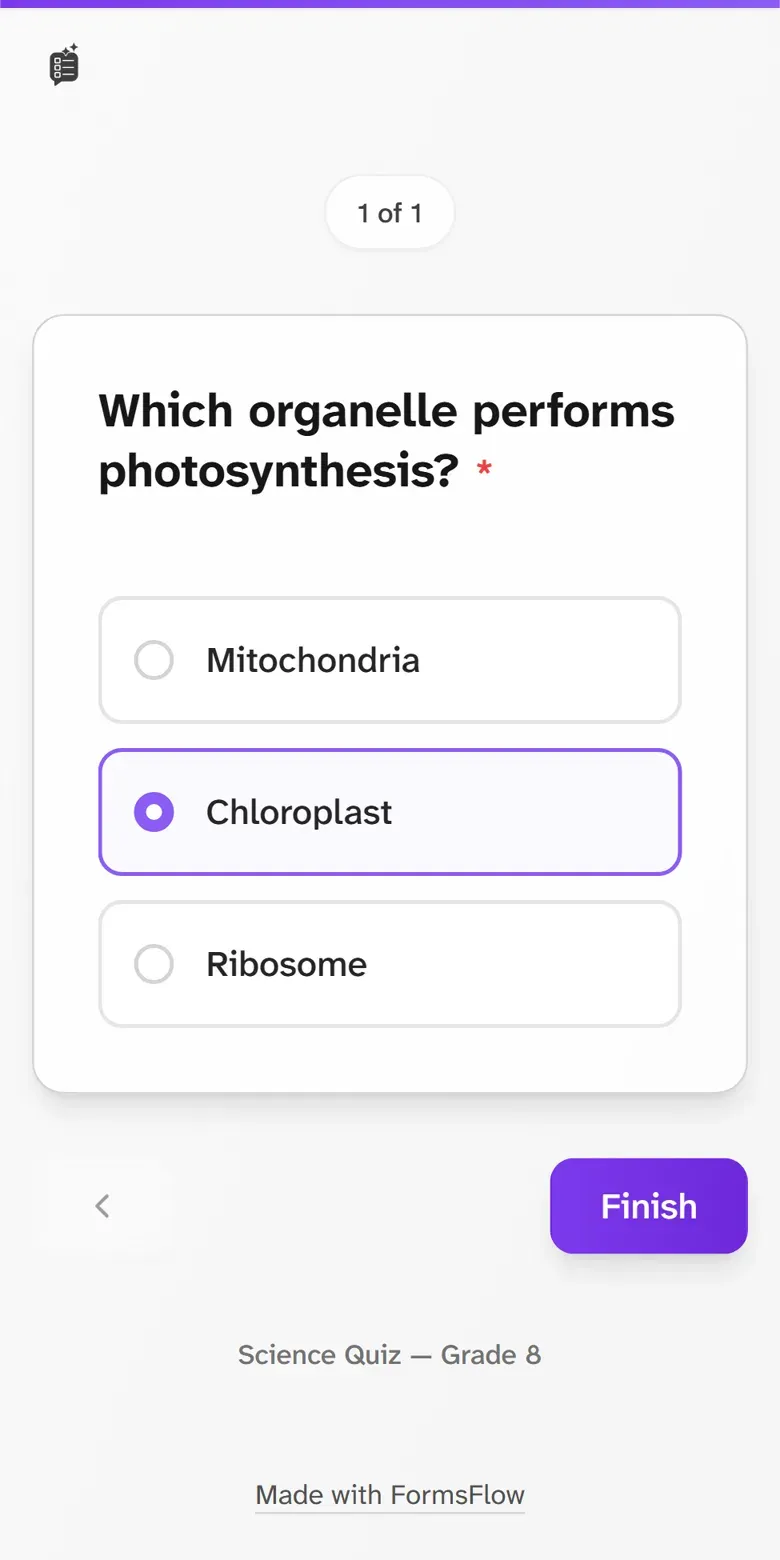
Default
The familiar FormsFlow look, clean and simple.
-
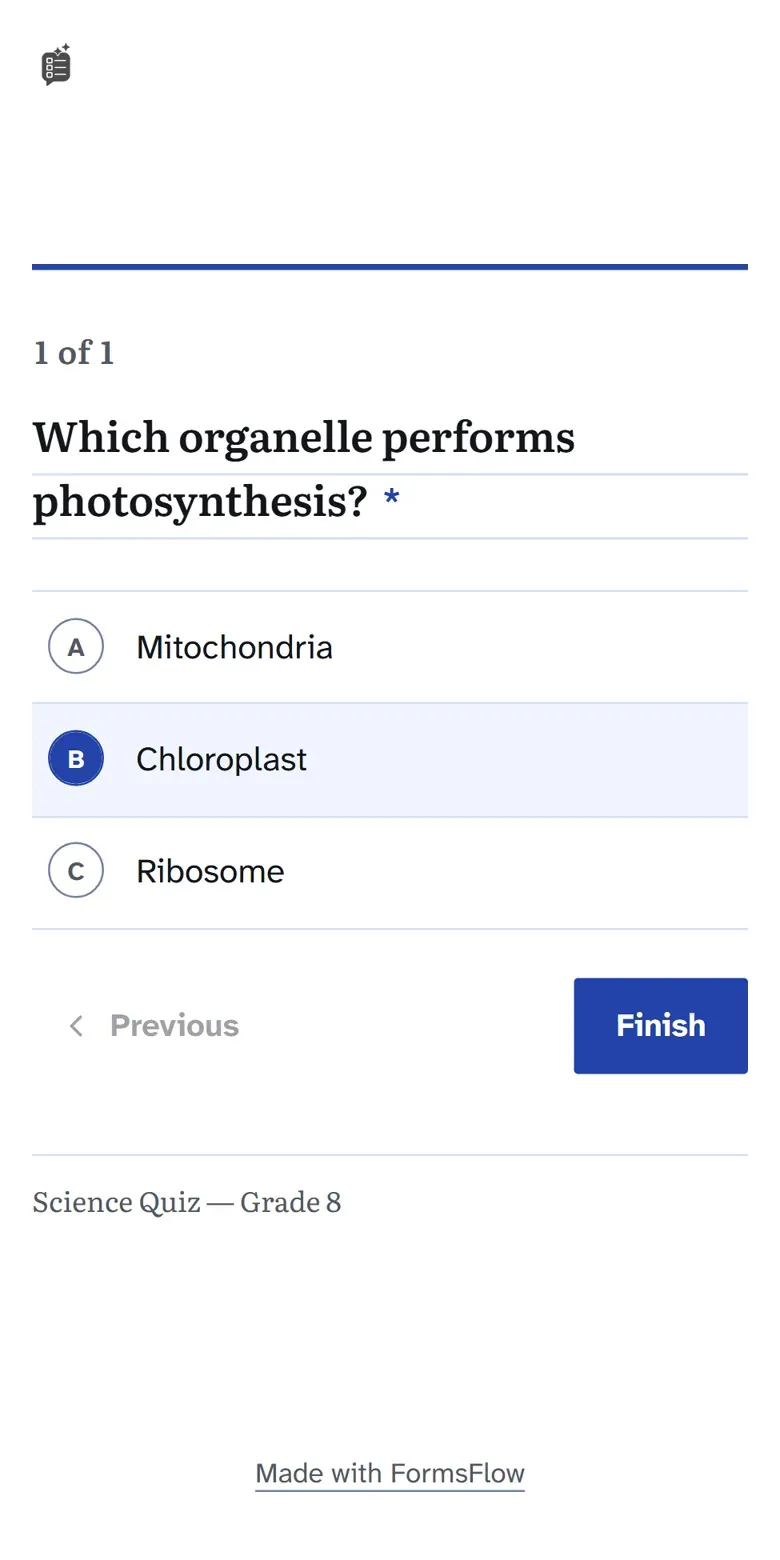
Notebook
A printed test: white paper, ruled lines and bubbles to fill in.
-
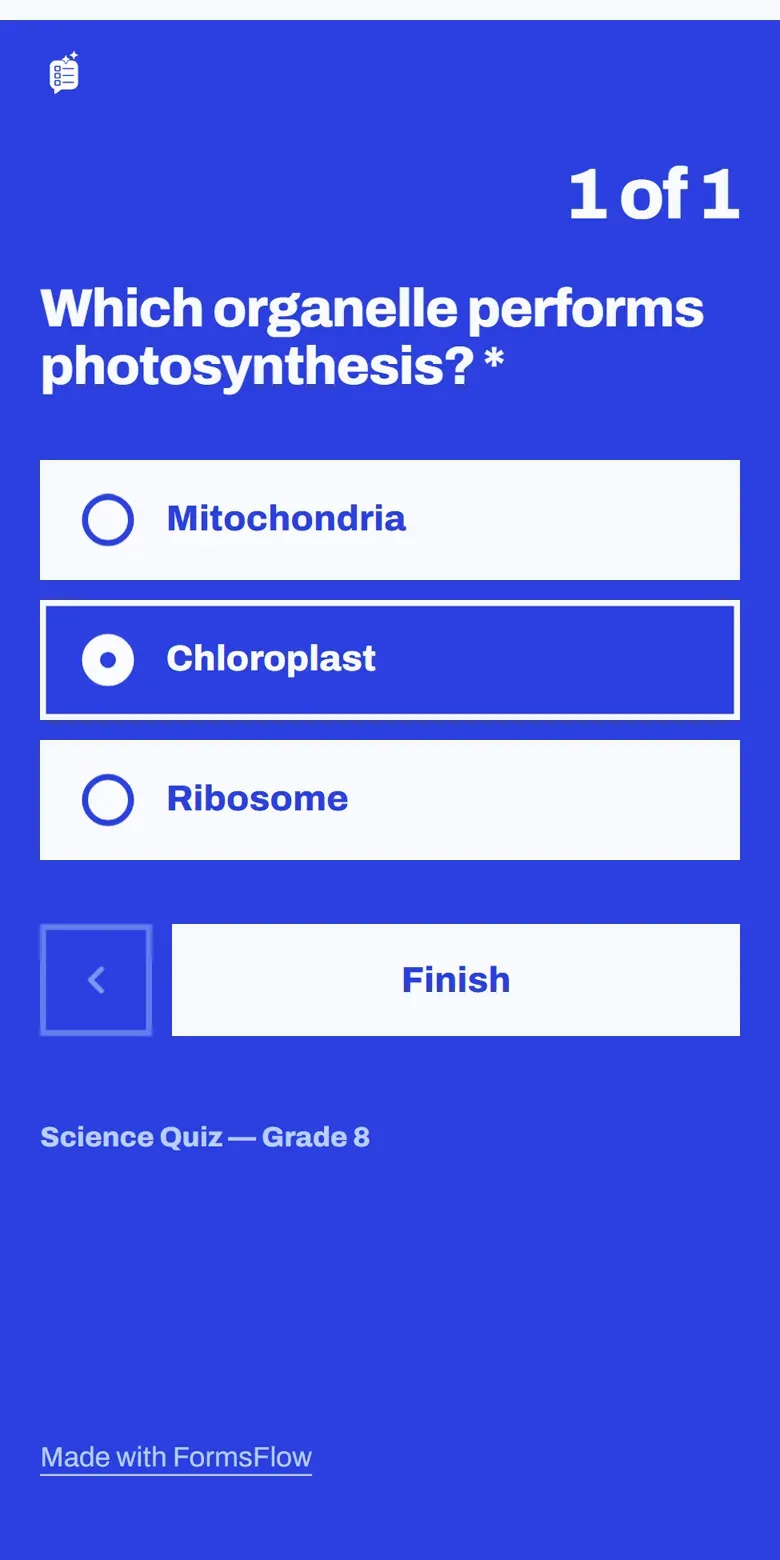
Poster
The whole page in your color, with big, direct questions.
-
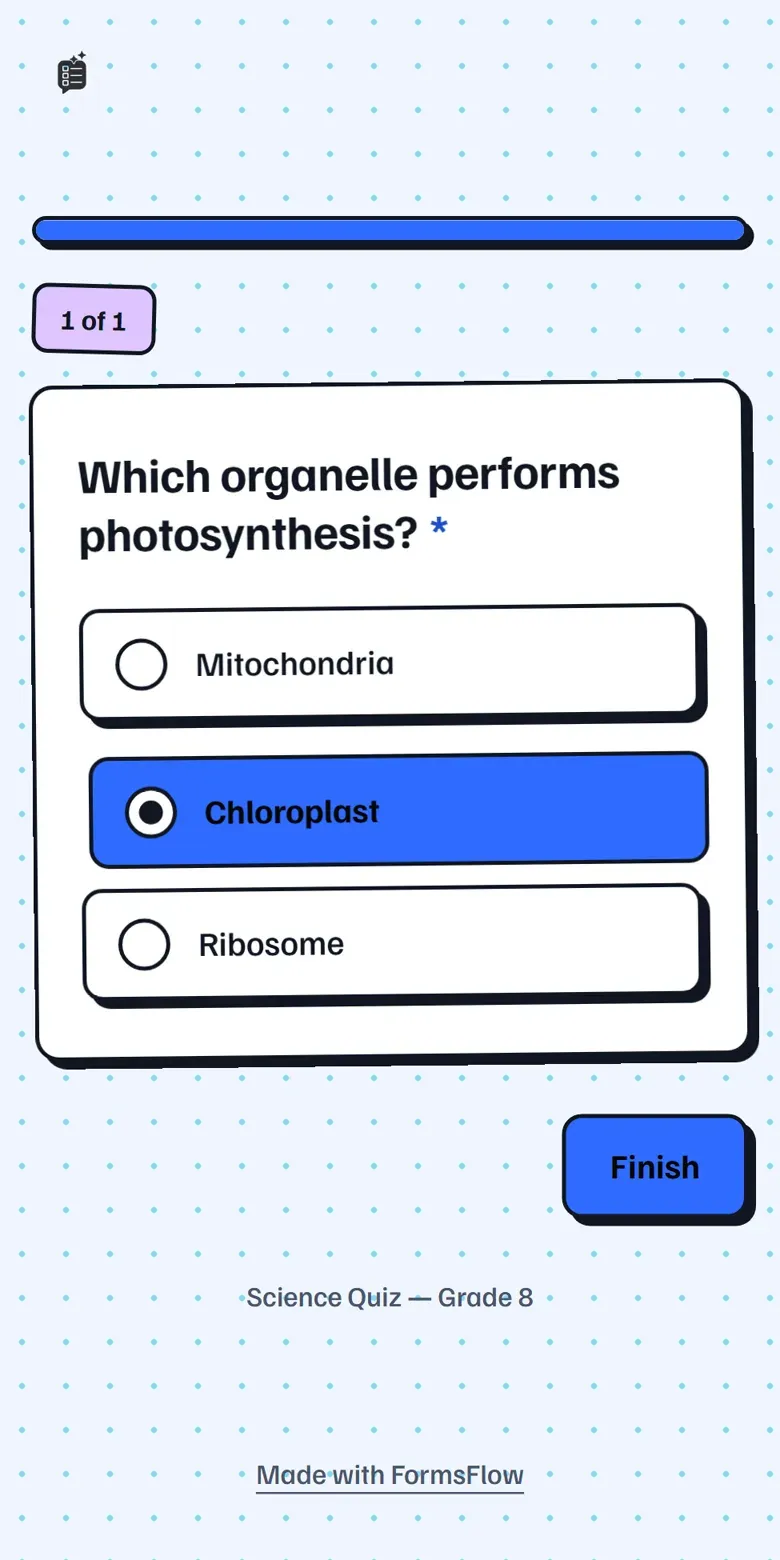
Sticker
Outlined cards with hard shadows, like a sticker album.
-
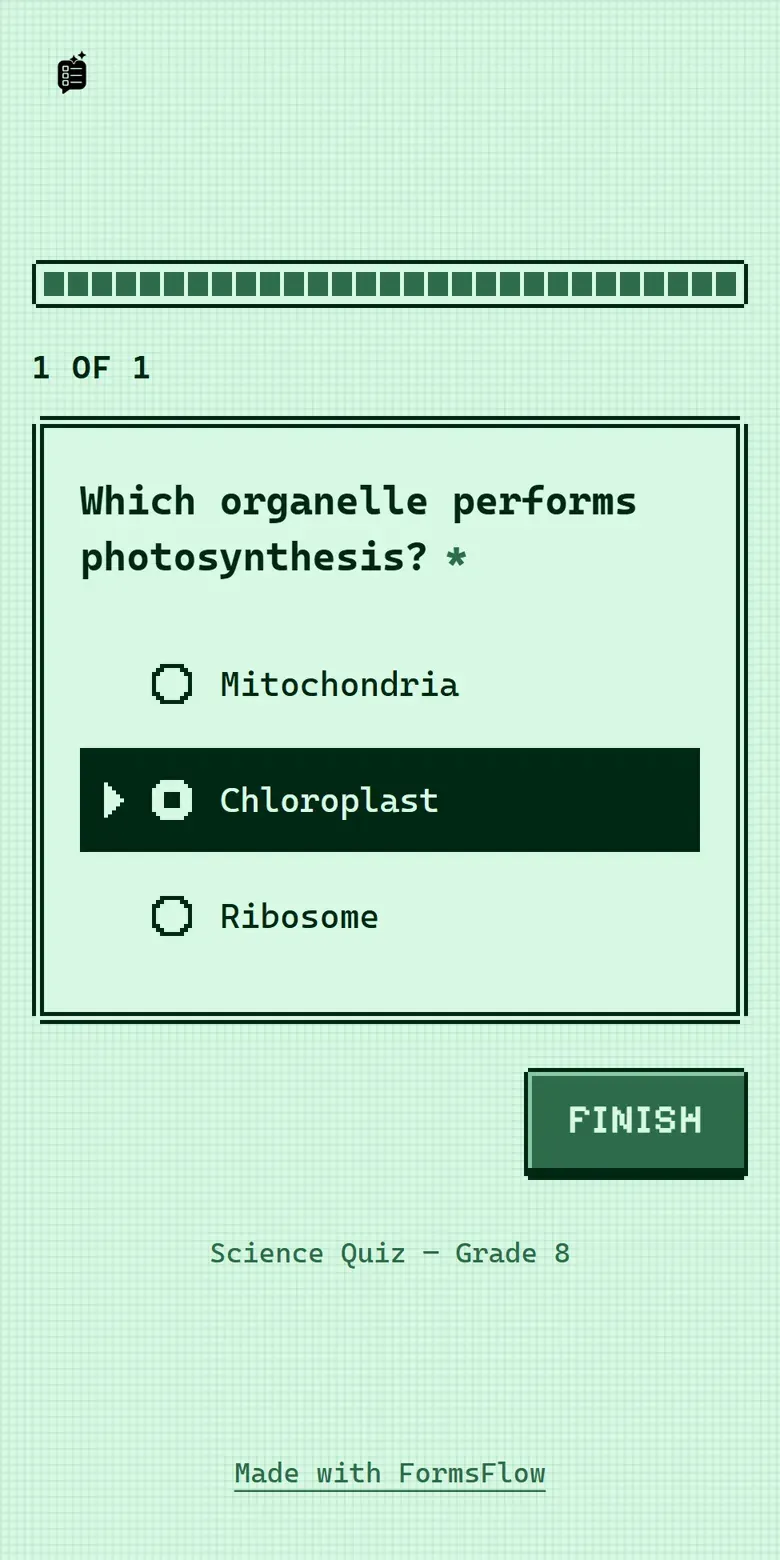
8-bit
A handheld game menu in 4 shades of your color.
-
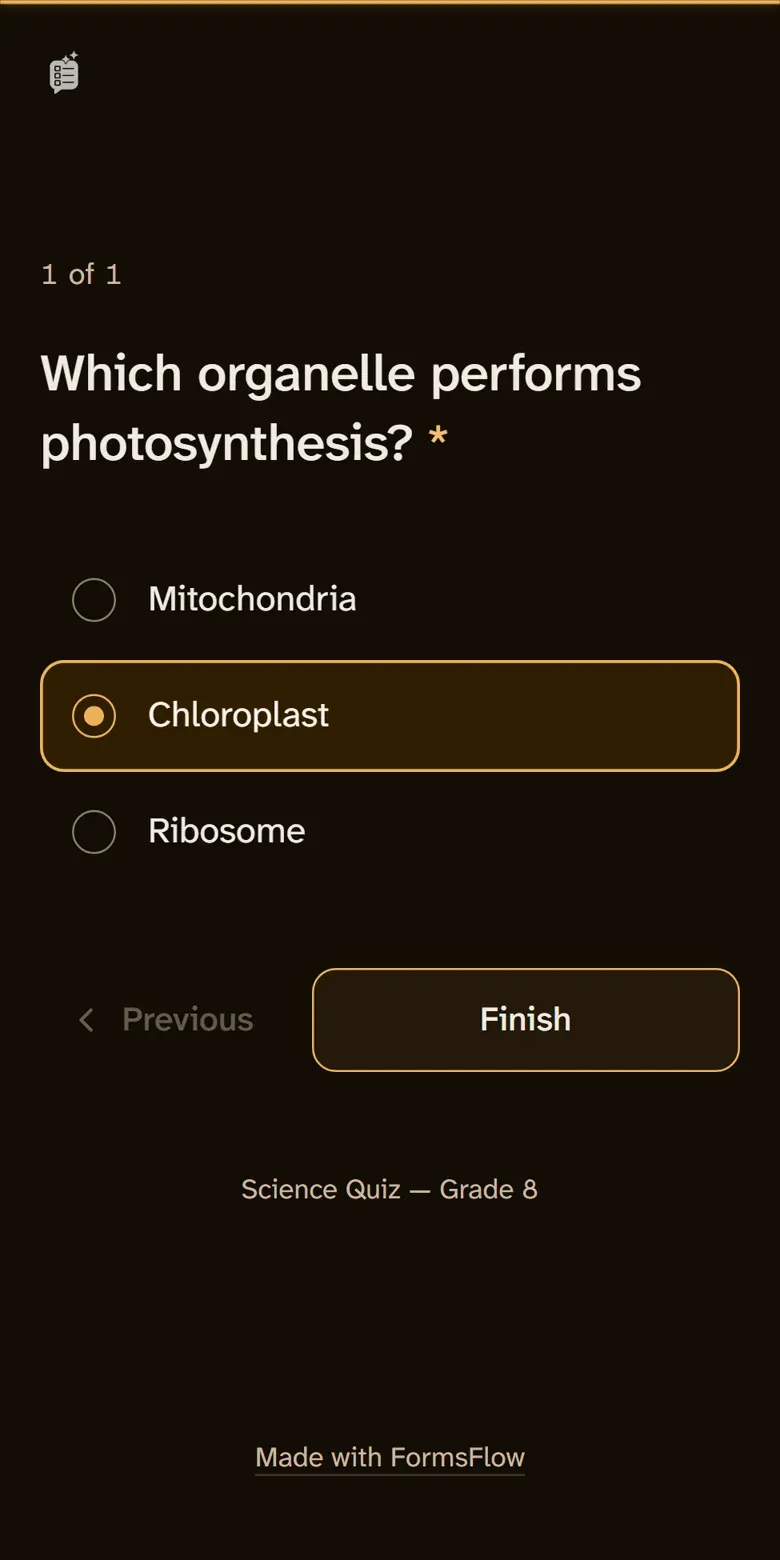
Night
Dark and calm, easy on the eyes at night.
-
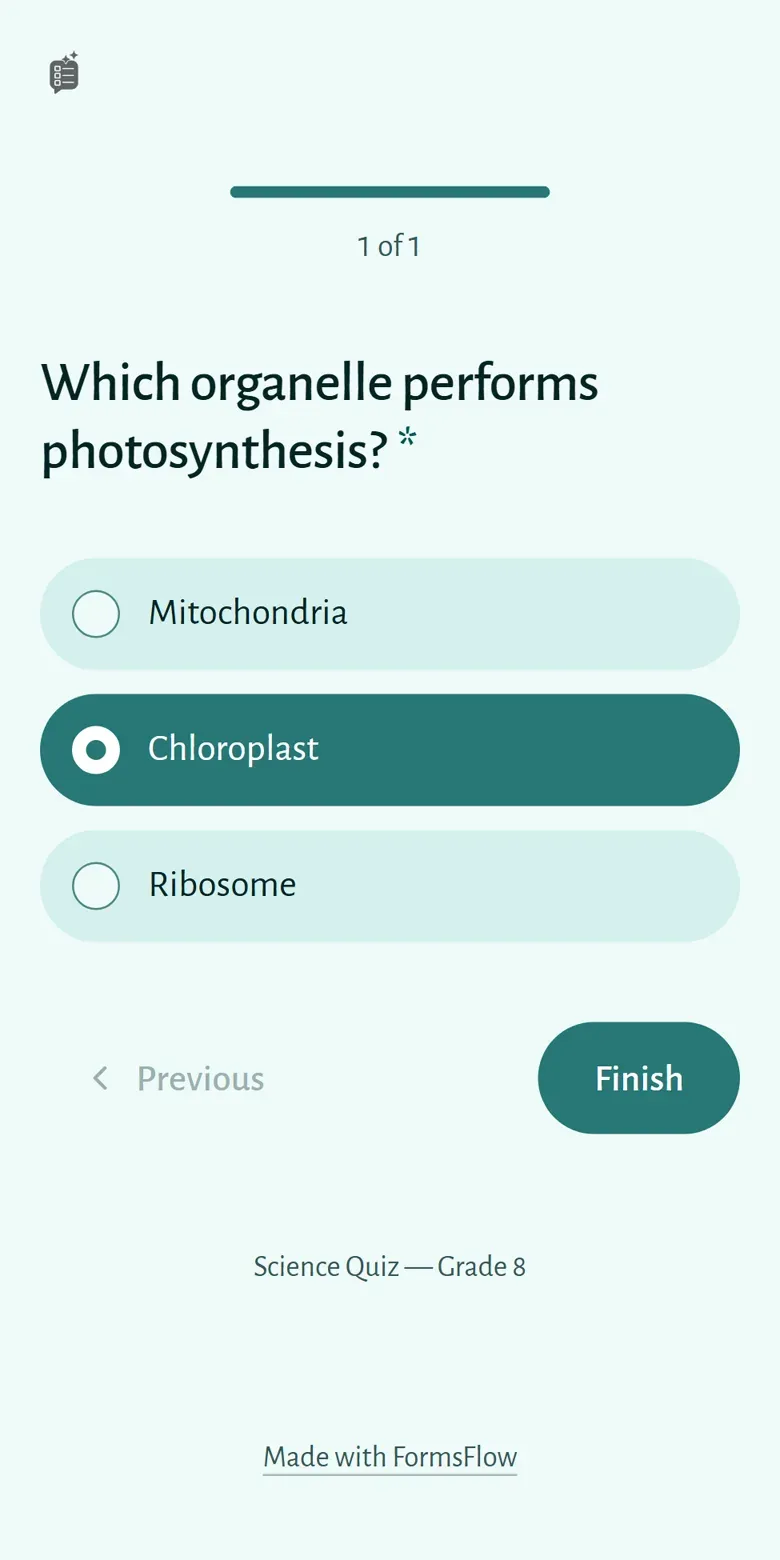
Serene
Soft tones and plenty of space, to answer calmly.
Any color. Always readable.
You pick one color. The theme builds the whole palette from it — buttons, selection, progress bar and backgrounds.
-
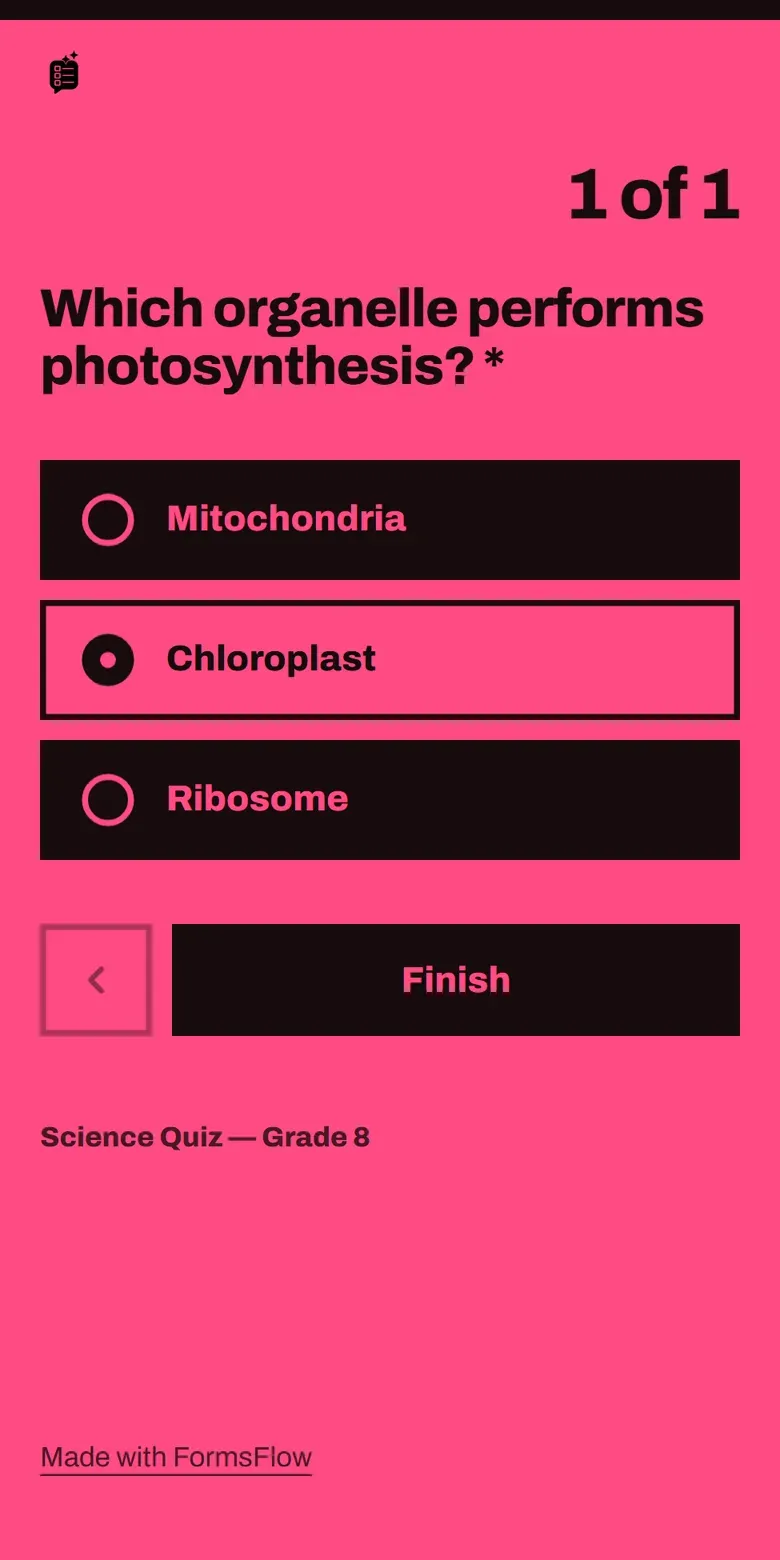
Poster in pink -
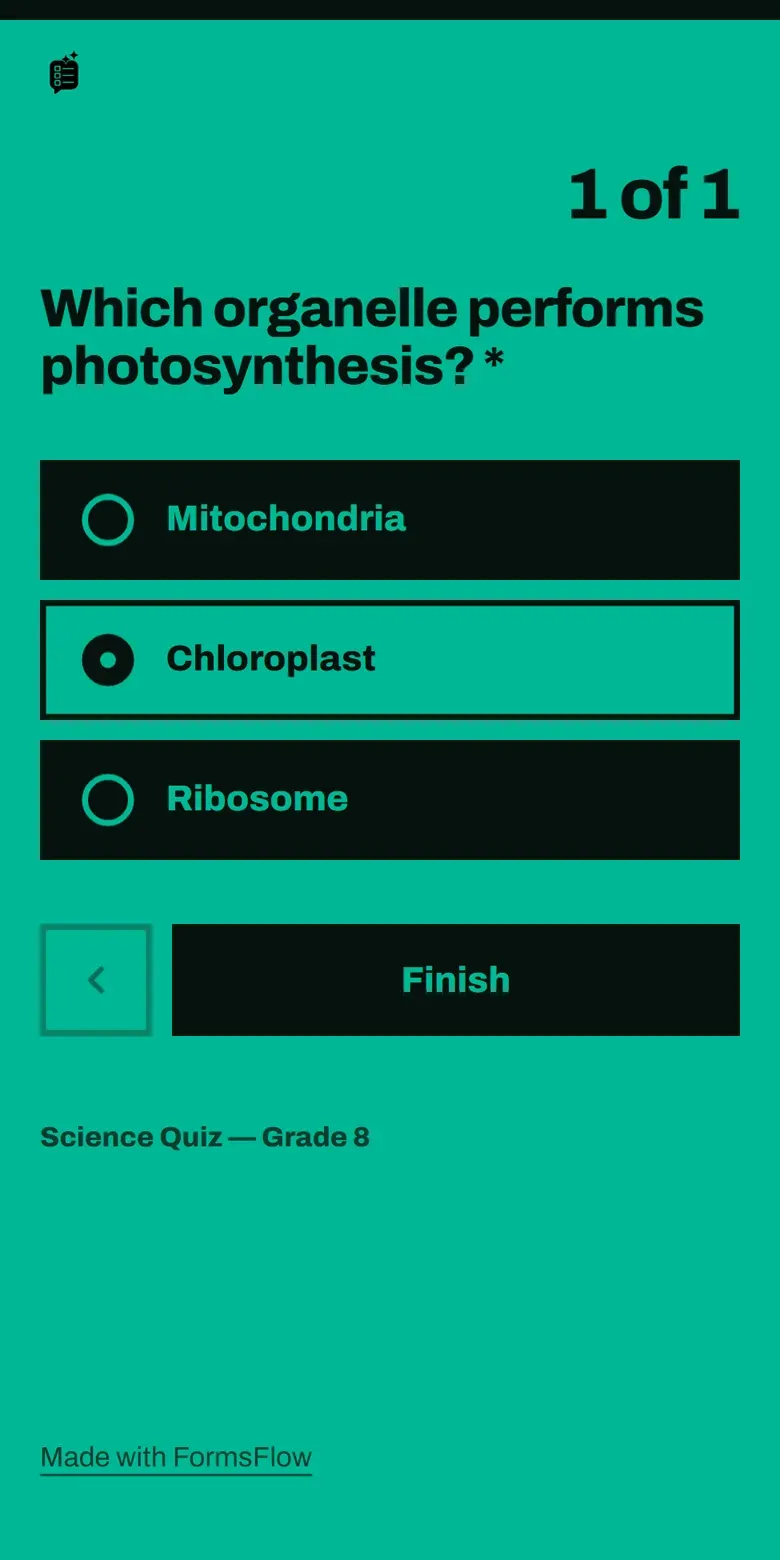
Poster in green -
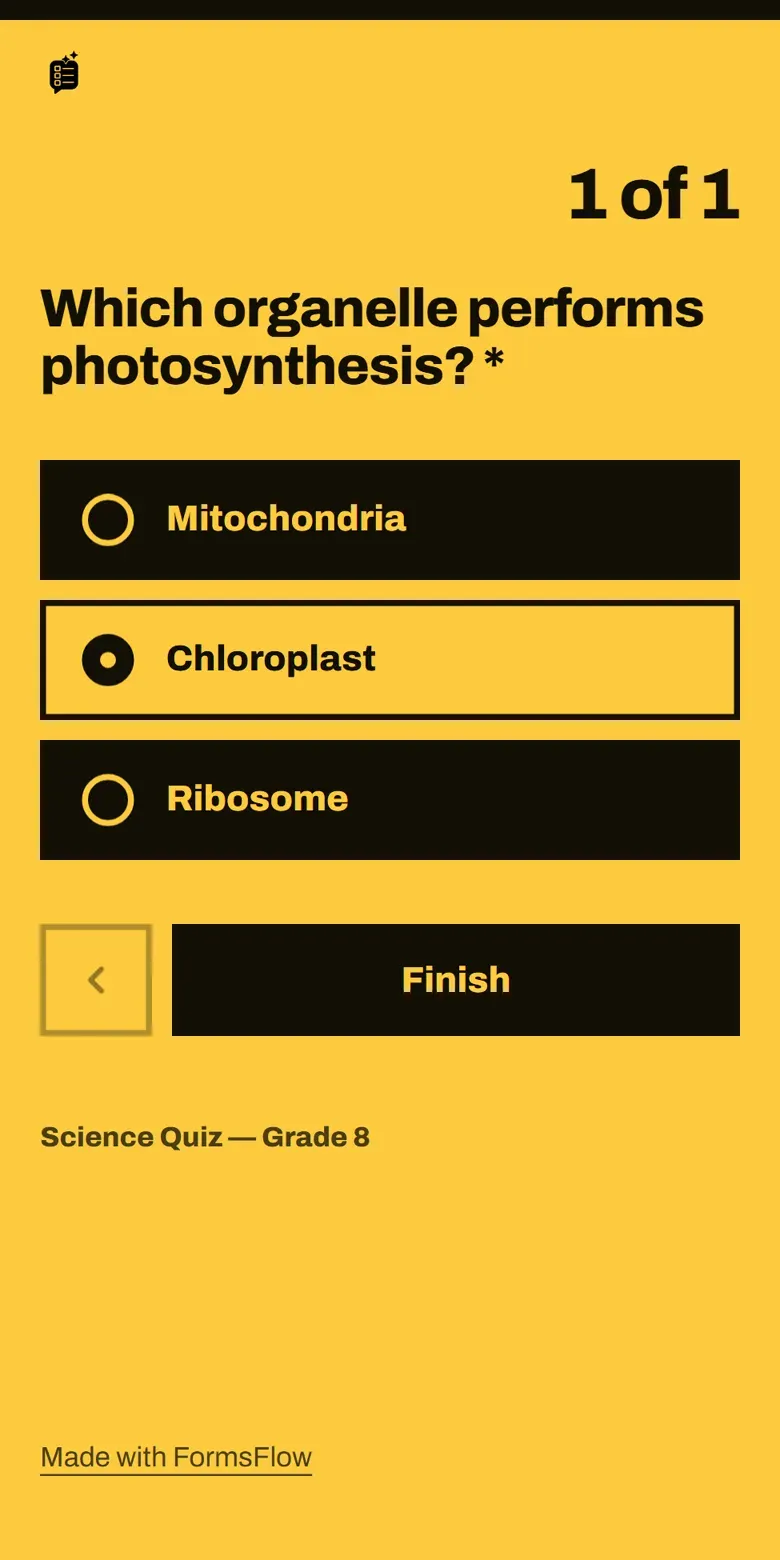
Poster in yellow
If your color would make text hard to read (light yellow on white, for example), FormsFlow darkens or lightens the tones until the contrast passes WCAG AA.
How to apply one
It all happens when you share the form.
Pick the theme 10 s
When you share, the appearance picker opens first with all 7 looks.
Set the color and preview 20 s
Choose the main color and preview your actual form, without sending anything to Google.
Create the link and share it —
The fflow.live link goes out with your theme. Send it instead of the Google link.
Changed your mind? Switch the theme or color of a published link: the address stays the same and the responses you already have are untouched.
What doesn't change
The theme only changes how it looks. The engine is still Google Forms.
The same questions
Content, order, validation and submission are identical in every theme.
The same spreadsheet
Every response lands in your Google Form, in your account, as always.
The same price
All 7 themes and the custom color are on every plan, including Free, and use no credits.
Frequently asked questions
Can I change a Google Form's theme without FormsFlow?
Partly. In Google Forms itself, under Customize theme, you can change the color, the font and the header image. The layout, cards and buttons stay Google's. FormsFlow themes change the whole page your respondent sees, one question at a time.
Are the themes paid?
No. All 7 themes and the custom color are available on every plan, including Free, and applying or switching a theme uses no credits.
Can I change the theme after sending the link?
Yes. Switch the theme or color of a published link and anyone who opens it from then on sees the new look. The address stays the same and responses already received are not affected.
What if I pick a very light color?
The theme adjusts the derived tones automatically so text and buttons keep at least WCAG 2.1 AA contrast. You pick the color; FormsFlow keeps it readable.
Does the Night theme follow the phone's dark mode?
No. Each theme has one fixed appearance, light or dark. What you see in the preview is exactly what your respondent sees, on any device.
Do responses still go to Google Forms?
Yes. The theme is applied to the masked link, which forwards every submission to the original form in your Google account. The linked spreadsheet keeps receiving responses as usual.
Put a mask on your form
Create the form, pick a theme and send the link. It takes under a minute.
Explore Also
Discover more solutions that can help you
Masked links
Share your Google Form with a branded page, one question at a time — without exposing the original Google link.
Learn more →Typeform Alternative
Unlimited forms and built-in AI, for a fraction of Typeform's price.
Learn more →Automate Google Forms
Create Google Forms automatically with AI. Save hours of manual work.
Learn more →From the blog
All articles →How to customize Google Forms (and what you can't change)
Color, font and header image you can change inside Google Forms. Layout, buttons and cards you can't. Here's the native walkthrough and how to go further with themes.
PDF to test: how to turn documents into assessments
Have a handout, chapter, or summary as a PDF? Here's how to turn that document into a Google Forms test with AI, in just a few minutes.
How to create tests in Google Forms with AI — step by step
A practical guide to turning text, a PDF, or a YouTube video into a ready-to-use Google Form, using AI — without leaving your Google account.